

Get Vegas Hero Casino App Now for Nonstop Wins
Get Vegas Hero Casino App Now for Nonstop Wins
There’s a certain thrill that comes with having a full-scale casino right in your pocket, ready whenever you are. The Vegas Hero Casino app download opens up a world where the neon lights of the Strip meet the convenience of modern mobile gaming. It’s not just about spinning reels or playing a hand of cards — it’s about carrying that electric atmosphere with you, whether you’re on a lunch break or relaxing at home.
Getting started is refreshingly straightforward. Instead of fumbling with complicated setups, the entire process from finding the right file to tapping “install” takes just a couple of minutes. For those using Android devices, the official application can be found through the casino’s website, while iOS users can head directly to their trusted app marketplace. Once you’ve secured the app, the first thing you’ll notice is how fluid everything feels. Menus slide open without lag, and game tiles load with impressive speed.
One of the biggest draws is the sheer variety of games available after you complete the Vegas Hero Casino app download. You’re not limited to just a handful of titles. There are dozens of slots, from classic fruit machines to modern video slots with immersive storylines. Table game enthusiasts will find multiple versions of blackjack, roulette, and baccarat. For those who prefer a more authentic experience, the live dealer section streams real tables with professional croupiers. You can also explore a dedicated area for https://vegasherouk.net where the full mobile experience is detailed further, including tips on getting the most out of your gameplay.
Why Mobile Gaming Beats the Desktop
Switching from a computer to a phone might seem like a small change, but it transforms how you interact with the games. The touch controls are intuitive — you can tap to spin, swipe to adjust bets, and pinch to zoom in on the action. There’s no mouse fumbling or keyboard shortcuts to memorize. Everything responds to your fingertips. Another advantage is the way notifications work. You can set reminders for tournaments, receive alerts about new slot releases, and stay updated on promotions without constantly checking your email.
The app also handles interruptions gracefully. If a call comes in or you need to switch tasks, your game session pauses automatically. When you return, you’re right where you left off, with no lost progress or forgotten bets. This seamless experience makes it easy to play in short bursts throughout the day.
Key Features Worth Exploring
- Game library updates — New titles appear regularly, keeping the selection fresh.
- Smart search and filters — Find games by provider, theme, or volatility level instantly.
- Quick deposit options — Fund your account using cards, e-wallets, or prepaid vouchers within seconds.
- Tournament hub — Compete against other players for prizes on leaderboards.
- Guest mode — Browse the lobby without logging in to see what’s available.
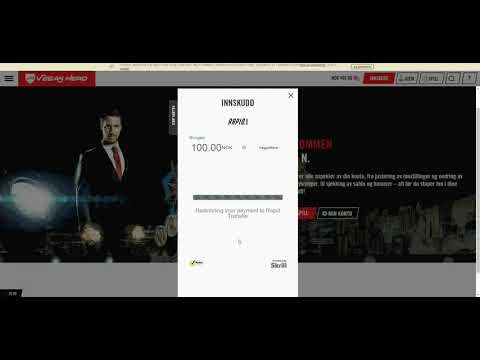
Comparing the Mobile App and Mobile Website
Sometimes players wonder whether they should download the dedicated app or just use the browser version. Both have their strengths, but they serve different needs. The table below breaks down the main differences so you can decide which works best for your style.
| Feature | Dedicated App | Mobile Website |
|---|---|---|
| Installation required | Yes, takes about 2–3 minutes | No installation needed |
| Storage space | Uses around 150–200 MB | Zero storage used |
| Performance | Smoother animations, faster load times | Good, but depends on browser and connection |
| Notifications | Push notifications available | No push alerts |
| Updates | Manual or automatic updates | Always up to date via browser |
| Offline access | Limited offline features | No offline access |
As you can see, the app pulls ahead when it comes to speed and convenience, while the mobile site is great for quick, no-commitment sessions. If you play regularly, the app is the better choice.
Getting the Most from Your Sessions
Once you’ve finished the Vegas Hero Casino app download, take a moment to explore the settings. You can adjust sound levels, change display quality to save battery, and even set daily play reminders. Many players overlook these options, but they make a real difference in comfort. Also, check the promotions tab often. There are frequently reload bonuses, free spins tied to specific games, and cashback offers that change weekly. Setting a budget before you start is always a good idea — it keeps the experience fun and stress-free.
Another tip is to try the demo versions of games before playing for real money. The app lets you test almost any slot or table game in practice mode. This way, you can learn the rules, understand the bonus features, and find the games that suit your style without risking anything. Once you feel confident, switch to real play with the same titles.
Frequently Asked Questions
Is the app free to download?
Yes, the application itself costs nothing. You only pay if you choose to deposit funds and play for real money.
Does the app work on older phones?
Most devices running Android 5.0 or iOS 10.0 and above should run the app without issues. Older models may experience slower performance.
Can I use the same account on both the app and the website?
Absolutely. Your login details and balance sync across all platforms automatically.
How do I update the app when a new version comes out?
Android users usually receive a prompt when opening the app. iOS updates happen through the App Store. You can also check the website for the latest version.
Is my personal information safe on the mobile app?
The app uses encryption technology similar to what banks use. Your data and transactions are protected during transmission.
What if the app crashes or freezes?
First, try closing and reopening it. If the problem persists, clear the app cache in your device settings. Contact customer support if issues continue.
Can I set deposit limits through the app?
Yes, responsible gaming tools like deposit caps, session reminders, and self-exclusion are all accessible from within the app’s settings menu.

